Can 9 Reference Photos Replace a Storyboard? I Tested It on a Spec Ads
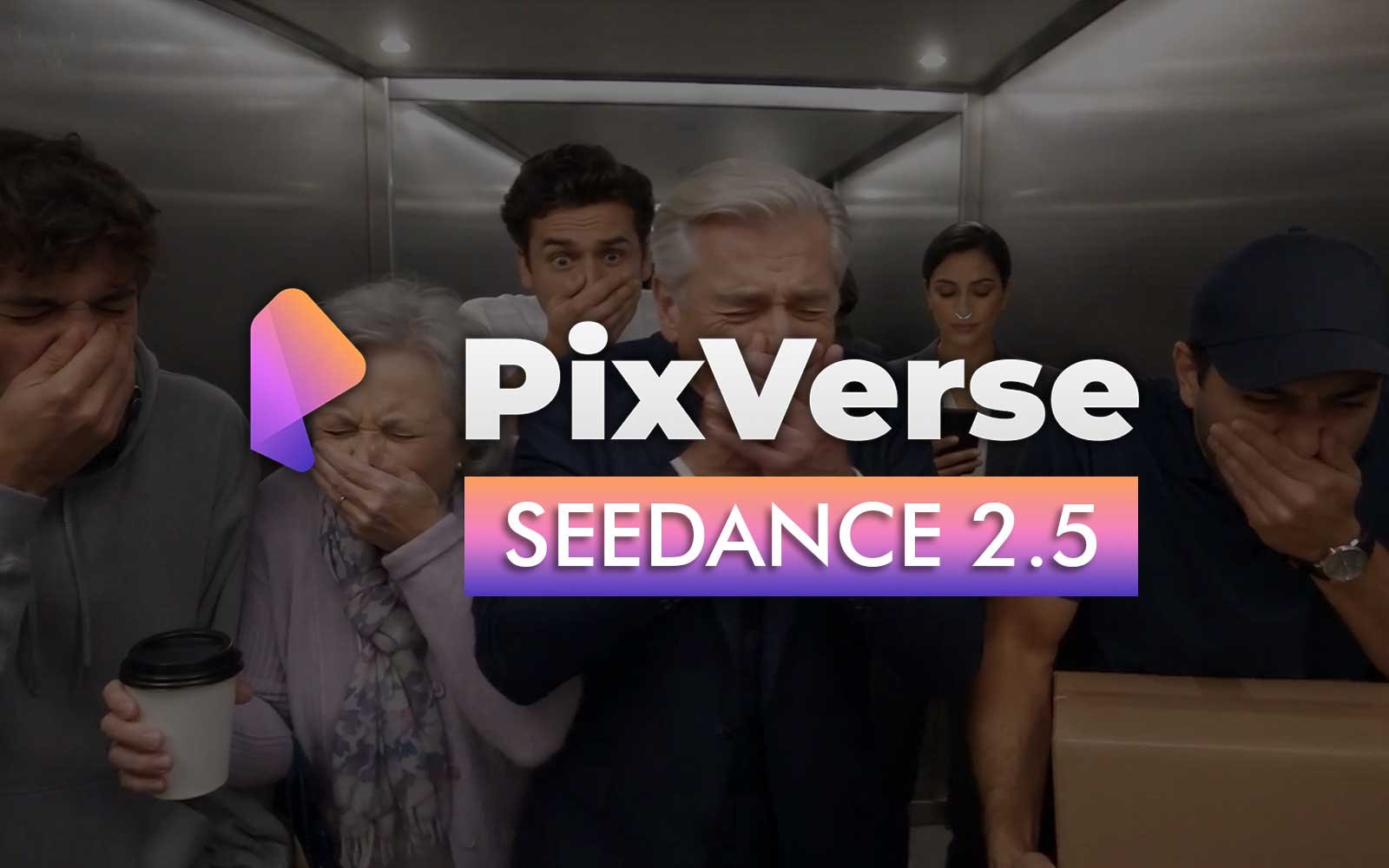
Seven characters. One elevator. One product. A Spec Ads with fart joke concept.
I fed Seedance 2.5 on PixVerse Canvas 9 reference sheets and one very long directing prompt, then skipped the one production step I've relied on for months. I wanted to know if a newer, more capable model could finally shortcut the process.
It couldn't — not entirely. But it failed in a specific, useful way, and that failure is the clearest explanation I have for why the process exists at all.
The Concept
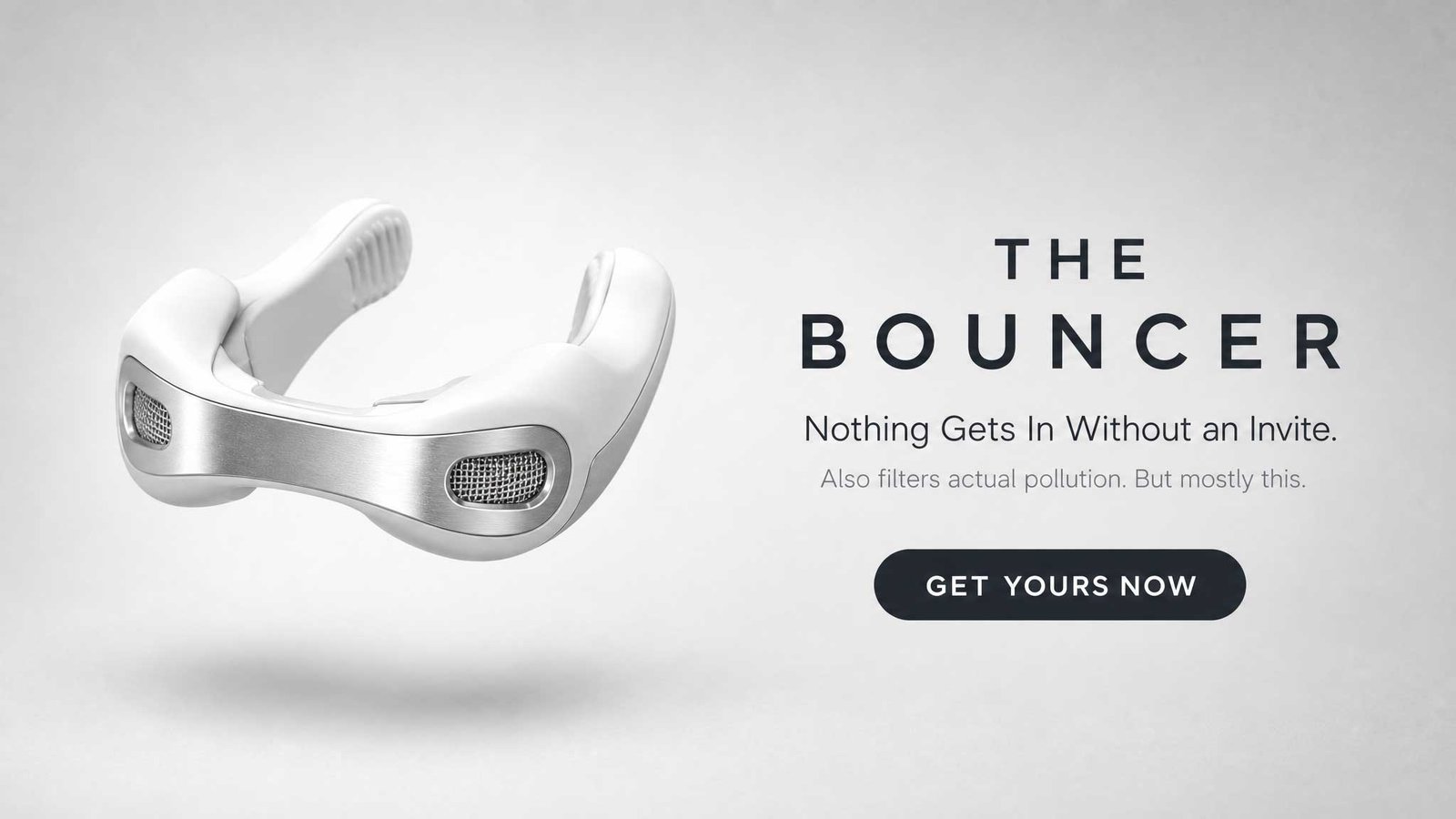
"The Bouncer" is a spec ad for a product that doesn't exist: a tiny clip worn over the nostrils that filters polluted air and neutralizes any smell around you. The pitch: a composed, unbothered businesswoman stands in a crowded elevator when someone lets one rip. Everyone else recoils in horror. She doesn't even look up from her phone. Camera push-in reveals why — she's wearing the device.
There's a second layer to the joke: the culprit is meant to be the last person you'd suspect — an immaculately dressed, dignified older gentleman, caught for one restrained instant almost losing his composure before the room descends into chaos around him.
The Standard Process, and Why I Broke It
My normal workflow runs three steps: build reference sheets to lock every character and location, compose a multi-panel storyboard grid to lock blocking and spatial logic, then write video prompts that point at specific panels rather than describing the scene from memory. It works. It's also slower than I wanted it to be.
For this spec ads, I generated one of the scene with 24 seconds duration, in one go. Seedance 2.5 raised its reference cap to 50 inputs and extended single-pass generation to 30 seconds. I wanted to know:
Could reference volume plus a very detailed prompt substitute for the storyboard step entirely?
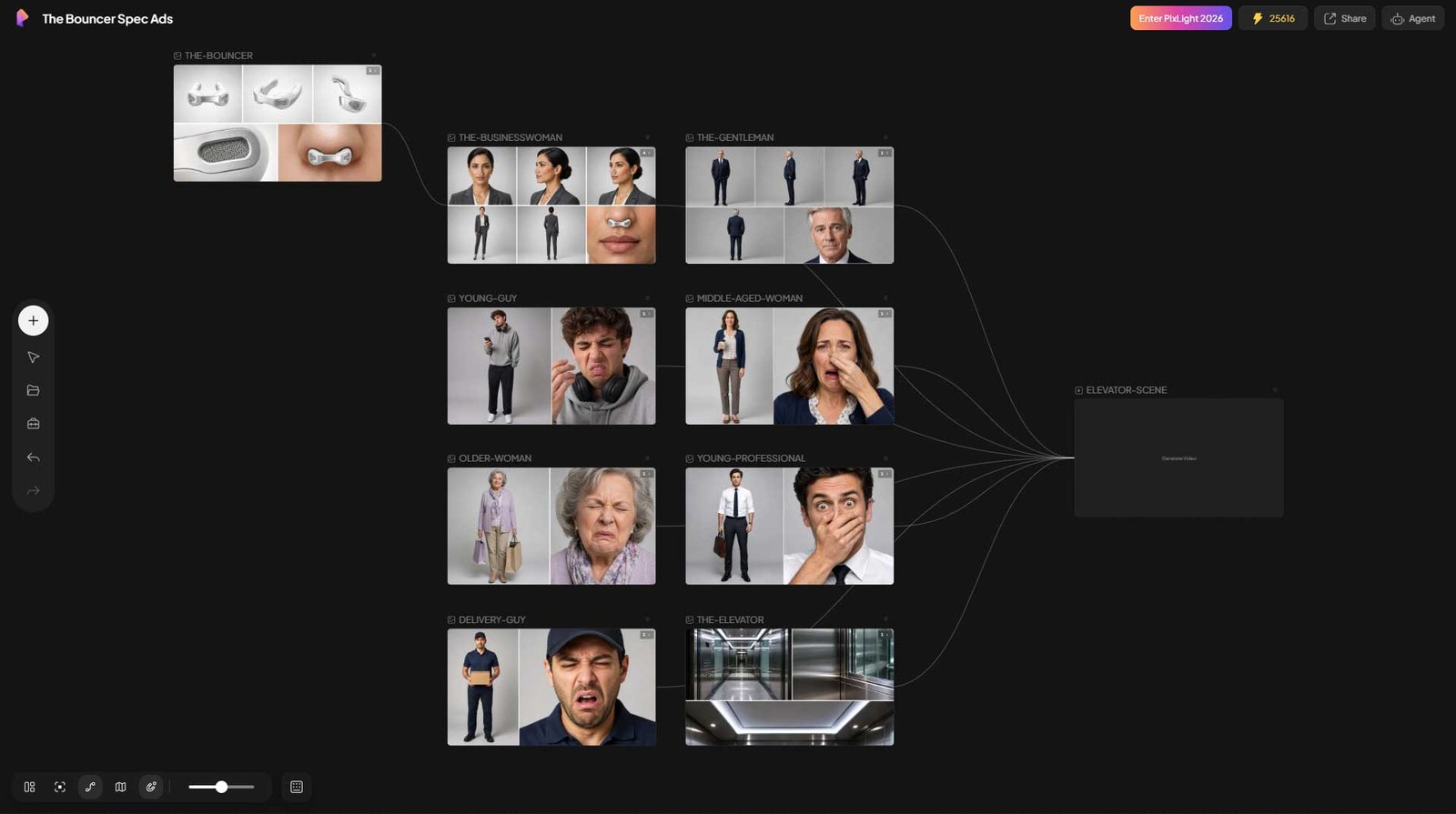
So for this one scene, I skipped it. eight reference sheets, no storyboard grid, one long shot-by-shot prompt describing blocking, timing, and camera moves in prose instead of panels:
- The Businesswoman
- The Gentleman
- Young Guy, Hoodie
- Middle-Aged Woman, Coffee Cup
- Older Woman, Shopping Bags
- Young Professional, Shirt and Tie
- Courier/Delivery Guy
- The elevator location
What Nearly Went Wrong Before Generation Even Started
Two problems surfaced during reference prep, before a single frame of video was made.
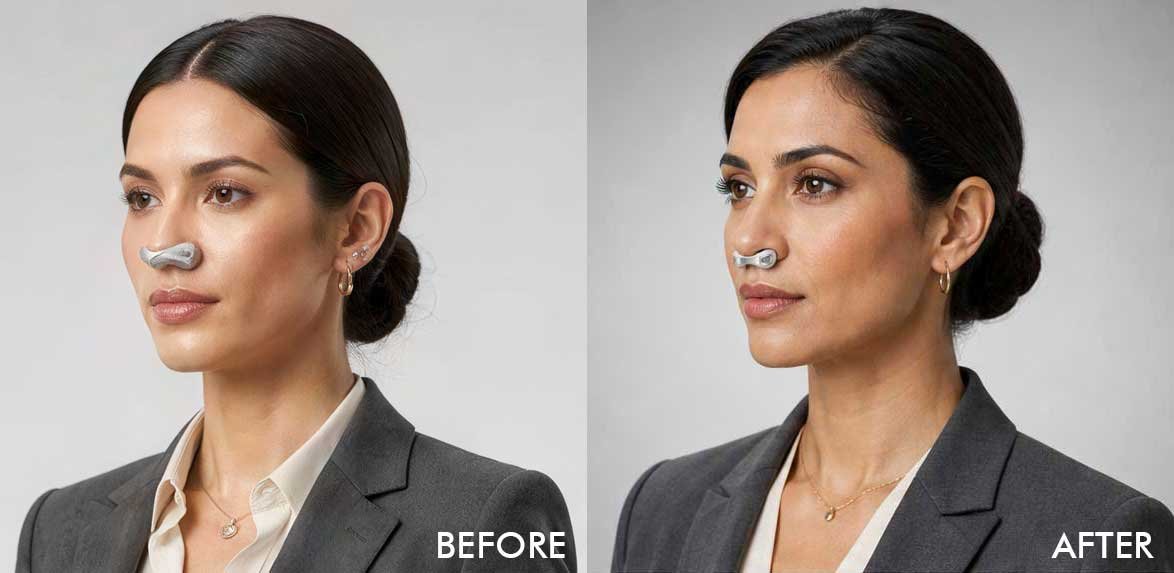
First, the product kept rendering in the wrong place on the businesswoman's face — not clipped over her nostrils, but sitting on her upper lip like a mustache. My first instinct was that this was a resolution problem, a small object losing detail at a distance. It wasn't. It was a placement problem, and no amount of describing material or scale fixed it. What worked was explicitly telling the model what not to do: no lip contact, visible bare skin between the device and her mouth, the device sitting at the exact base of the nose where the nostrils open. Telling a model what to avoid did more work than describing what to include.
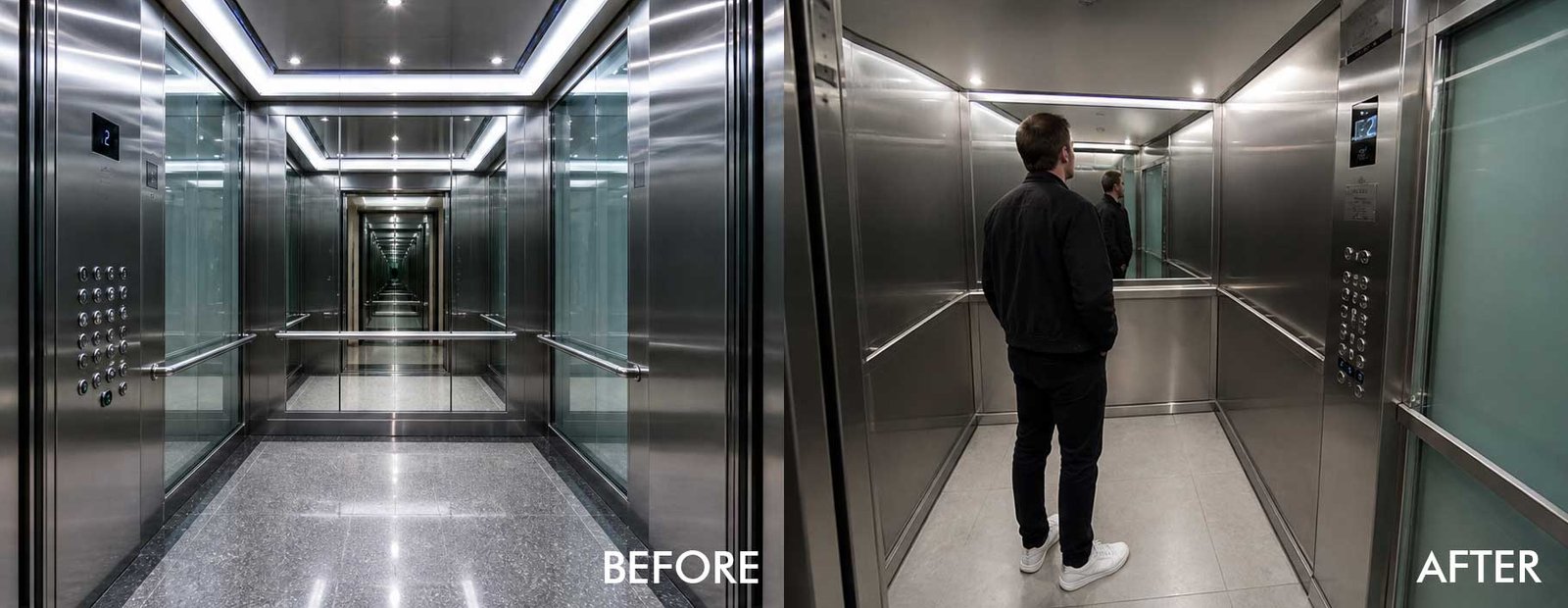
Second, the elevator location reference had an unplanned side effect: a straight-on shot into the mirrored back wall created an infinite-corridor illusion — the small box read as an endless hallway. The fix was cheap: reshoot the reference from an off-axis angle so the mirror reflected the side wall instead of itself, and add a human figure into frame purely for scale. Worth catching before generation, not after — a wrong visual reference will usually win an argument against a text instruction telling it otherwise.
What Held Up
The broad staging mostly worked, with one exception worth naming precisely. Six of the seven characters showed up in the generated scene, recognizably consistent with their reference sheets, correctly positioned in a coherent crowd — the businesswoman, the gentleman, the young guy in the hoodie, the older woman, the young professional, and the delivery courier. The elevator read as a small, enclosed space, not the endless corridor its first draft implied. The product reveal close-up landed exactly right — correct placement, correct material, matching the approved reference perfectly.
The product showcase card — a separate six-second clip — came out even cleaner, because the newest model supports setting an approved still image as a literal last-frame target rather than just describing the end composition in prose. Given a concrete pixel target to converge toward instead of a written description to interpret, the model nailed it on the first pass: correct wordmark, correct tagline, correct call-to-action, no garbled text.
What Broke
Two things, and they're not random.
The gentleman's beat — the one restrained, precisely-timed flicker of composure cracking — never happened. He stayed exactly as composed and neutral as his reference photo, all the way through the moment that was supposed to reveal him as the culprit. Worse, by the time the chaos hit a few seconds later, he was grimacing along with everyone else — reading as just another disgusted bystander instead of the source. The joke's sharpest layer didn't survive.
Separately, two background extras got cross-contaminated. A middle-aged woman holding a coffee cup vanished from the final shot entirely; her prop got reassigned to an older woman who was supposed to be carrying shopping bags instead.
Neither failure touched the broad composition. Both were about individual specificity — one character's exact emotional timing, another character's exact prop ownership — the kind of detail a storyboard panel exists specifically to lock down, and the kind of detail that loose references plus a long prompt apparently can't reliably hold once a cast grows past a couple of people.
The Verdict
Reference volume and a carefully written prompt can carry a scene's broad staging — who's where, how a space reads, whether a crowd feels like a real crowd. They cannot yet carry a single character's exact, timed performance, or which prop belongs to which extra, once more than a couple of people are in frame.
The storyboard step was never really insurance against a model losing track of the whole picture. It's what locks the one specific detail that turns an almost-joke into an actual one.
I'm keeping the three-step process. But now I know exactly which corner of it I was actually paying for.
What's your AI video generation pipeline, and why does it work for you? I'd genuinely like to know what other creators have found — where your process holds up, and where it's broken the same way mine just did.